Python Number Guessing Game: Your First Project, Step by Step
Build a number guessing game in Python one working version at a time, from a single guess to a finished game with hints, a guess limit, safe input and play again.
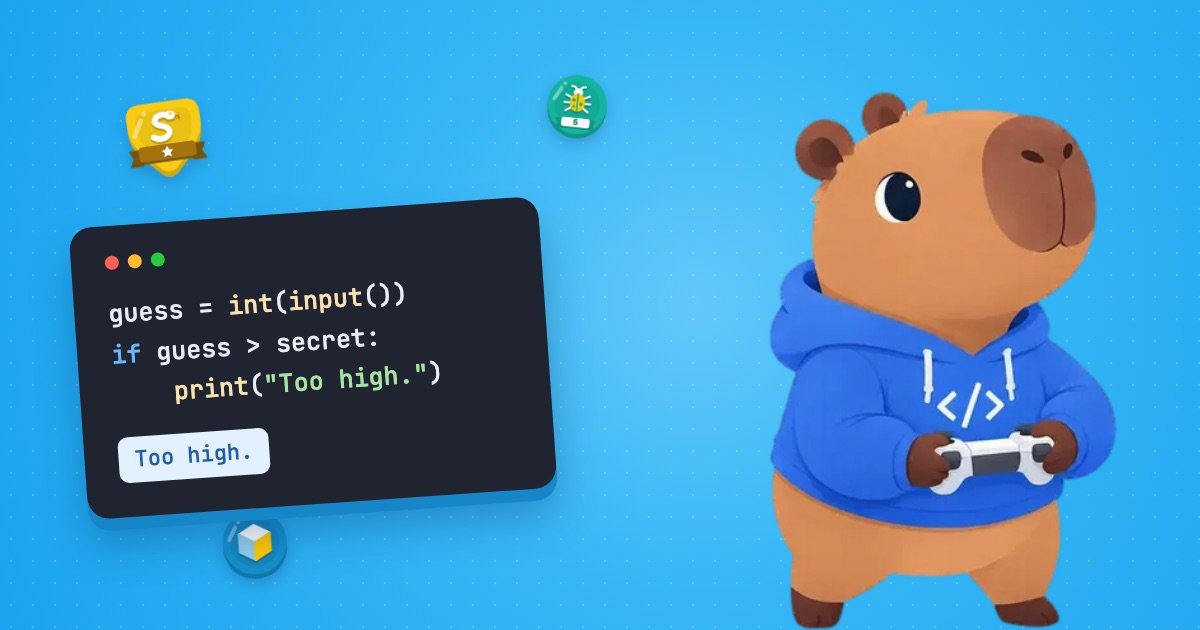
A number guessing game makes a good first Python project because it uses what you already know (print, variables and if statements) and adds the one idea that turns a script into a game, a loop. In this tutorial you’ll build a Python number guessing game in six small steps, and every step is a complete program you can run.
Short answer: the computer picks a secret with random.randint(1, 100). A loop then asks for guesses, turns each one into a number with int() and prints “Too low.” or “Too high.” until the guess matches. Put int() inside try/except ValueError so a typo can’t crash the game, use a for loop when you want a fixed number of guesses, and wrap the whole round in another loop to offer “play again”. The finished program is in Step 6.
Before you start
You need Python 3 on your computer. Any recent version will do; every example here was run on Python 3.14, and the outputs shown are the real ones. Save each version of the game in a file called guess.py, then run it from a terminal in the same folder:
python3 guess.pyOn Windows the command is python guess.py. If you’d rather not use a terminal, IDLE, the simple editor that comes with Python, works too: open the file and choose Run → Run Module (or press F5).
Before writing any code, it helps to say what the game should do, one step at a time. Programmers often draw this as a flowchart; a numbered list does the same job:
- Pick a secret number from 1 to 100.
- Ask the player for a guess.
- If the guess isn’t a number, say so and ask again.
- If it’s too low or too high, say which and ask again.
- If it’s right, say so. If the player runs out of guesses, reveal the number.
- Ask whether they want to play again.
The asking and checking repeat, so they’ll become a loop. Almost everything else is an if statement. The six steps below build this plan one piece at a time.
Step 1: Pick a secret number and take one guess
import random

secret = random.randint(1, 10)
guess = int(input("Guess a number from 1 to 10: "))

if guess == secret:
    print("You got it!")
else:
    print("Not this time. It was", secret)
Three lines do the real work:
import randomloads Python’srandommodule. It’s part of the standard library, so there’s nothing to install.random.randint(1, 10)returns a whole number from 1 to 10, and both ends are included, so the secret can be 1 or 10. The official documentation puts it precisely: “Return a random integer N such that a <= N <= b.”int(input(...))shows the prompt and waits for the player.input()always gives you text (a string), even when the player types digits, soint()converts that text into a whole number you can compare with the secret.
Here’s one run. In every sample run in this tutorial, what the player typed is in bold. Your numbers will be different, because the secret is random.
Guess a number from 1 to 10: 7
Not this time. It was 3
One guess with a one-in-ten chance isn’t much of a game. The player needs to be able to keep trying.
Step 2: Keep guessing with a while loop
Now the secret goes up to 100, and the game gives a hint after every wrong guess:
import random

secret = random.randint(1, 100)
print("I'm thinking of a number from 1 to 100.")

while True:
    guess = int(input("Your guess: "))
    if guess < secret:
        print("Too low.")
    elif guess > secret:
        print("Too high.")
    else:
        print("You got it!")
        break
while True: starts a loop that, left alone, would run forever. Everything indented under it repeats: ask, compare, reply. The if/elif/else chain checks the guess in order and runs only the first branch that matches, so every guess gets one reply. The only way out is break, which ends the loop immediately, and it only runs when the guess is right.
I'm thinking of a number from 1 to 100.
Your guess: 50
Too high.
Your guess: 25
Too low.
Your guess: 37
Too high.
Your guess: 31
Too low.
Your guess: 34
You got it!
You’ll often see this loop written as while guess != secret: instead. That works too, but guess must already exist before the loop starts, and forgetting that causes one of the errors in the common mistakes section below. With while True, the question “is it right?” is asked in one place, after the guess is in, which also makes it easier to add input checking in Step 4. If loops and if/elif/else still feel new, our guide to the programming basics covers both with smaller examples.
Testing tip: while you build, add print(secret) straight after the secret is chosen, so you can check that “Too low.”, “Too high.” and the winning message all work. Delete the line before anyone else plays. Another option is random.seed(1) before randint(): reusing a seed gives the same “random” secret on every run, which makes a bug easy to repeat (the docs note that the exact numbers can change between Python versions).
Step 3: Count the guesses
import random

secret = random.randint(1, 100)
guesses = 0
print("I'm thinking of a number from 1 to 100.")

while True:
    guess = int(input("Your guess: "))
    guesses += 1
    if guess < secret:
        print("Too low.")
    elif guess > secret:
        print("Too high.")
    else:
        print("You got it! Guesses used:", guesses)
        break
Two new lines and an updated message. guesses = 0 runs once, before the loop. guesses += 1 is shorthand for guesses = guesses + 1, and because it’s inside the loop it runs once per guess. Where a counter lives matters: if guesses = 0 were inside the loop, it would reset on every pass and the game would always report 1. Play it with the same guesses as before and the last line now reads You got it! Guesses used: 5.
Step 4: Stop bad input from crashing the game
Type a word instead of a number into Step 3’s game and see what happens:
I'm thinking of a number from 1 to 100.
Your guess: seven
Traceback (most recent call last):
  File "/Users/you/guess.py", line 8, in <module>
    guess = int(input("Your guess: "))
ValueError: invalid literal for int() with base 10: 'seven'
Read the last line first. int() received text that isn’t a whole number, so Python raised a ValueError: the value had the right type (a string) but the wrong content. If tracebacks are new to you, our guide on how to read Python error messages walks through them line by line. Here’s the fix:
import random

secret = random.randint(1, 100)
guesses = 0
print("I'm thinking of a number from 1 to 100.")

while True:
    text = input("Your guess: ")
    try:
        guess = int(text)
    except ValueError:
        print("That's not a whole number. Try again.")
        continue
    if guess < 1 or guess > 100:
        print("Pick a number from 1 to 100.")
        continue

    guesses += 1
    if guess < secret:
        print("Too low.")
    elif guess > secret:
        print("Too high.")
    else:
        print("You got it! Guesses used:", guesses)
breaktry:runsint(text). If the conversion works, theexceptblock is skipped.except ValueError:catches the error instead of letting it crash the program. The game prints a friendly message, andcontinuejumps straight back to the top of the loop for another guess.- The range check does the same for numbers that are valid but outside 1 to 100. Without it, 150 would get the reply “Too high.”, which is true but unhelpful.
guesses += 1moved below both checks, so a typo doesn’t cost the player a guess. That order will matter in Step 5, when guesses run out.
I'm thinking of a number from 1 to 100.
Your guess: 50
Too high.
Your guess: forty
That's not a whole number. Try again.
Your guess: 40
Too low.
Your guess: 45
Too high.
Your guess: 150
Pick a number from 1 to 100.
Your guess: 42
You got it! Guesses used: 4
This shape (a while True loop, int() inside try, a message in except ValueError) is the same one the official Python tutorial uses for reading a number from the user.
Why not check with isdigit() first?
You may see code that tests the text with isdigit() first and only calls int() if the test passes. It looks tidy, but it asks a different question from the one you care about. isdigit() asks “is every character a digit?”, and Python’s idea of a digit is wider than 0 to 9: the documentation says it includes characters such as the superscript ². Meanwhile, int() accepts some text that isdigit() rejects. Try this:
print("7".isdigit())
print(" 7".isdigit())
print("-3".isdigit())
print("²".isdigit())
print(int(" 7"))
print(int("²"))
True
False
False
True
7
Traceback (most recent call last):
File "/Users/you/check.py", line 6, in <module>
print(int("²"))
~~~^^^^^
ValueError: invalid literal for int() with base 10: '²'So isdigit() waves “²” through, and int() crashes on it anyway. It also rejects " 7" (a stray space, which int() ignores) and "-3" (a perfectly good whole number). The only reliable way to find out whether int() can convert something is to let int() try, and handle the failure. Python’s glossary even has a name for this style: EAFP, short for “easier to ask for forgiveness than permission”.
Step 5: Limit the guesses with a for loop
A game with unlimited guesses can’t be lost. To give the player a fixed number, you could add a condition to the while loop, but repeating something a known number of times is the job a for loop was made for:
import random


def ask_for_guess(prompt):
    while True:
        text = input(prompt)
        try:
            guess = int(text)
        except ValueError:
            print("That's not a whole number. Try again.")
            continue
        if guess < 1 or guess > 100:
            print("Pick a number from 1 to 100.")
            continue
        return guess


secret = random.randint(1, 100)
max_guesses = 7
print("I'm thinking of a number from 1 to 100.")
print(f"You have {max_guesses} guesses.")

for attempt in range(1, max_guesses + 1):
    guess = ask_for_guess(f"Guess {attempt} of {max_guesses}: ")
    if guess < secret:
        print("Too low.")
    elif guess > secret:
        print("Too high.")
    else:
        print("You got it! Guesses used:", attempt)
        break
else:
    print(f"Out of guesses! The number was {secret}.")
Here’s what changed:
- The input checking moved into a function,
ask_for_guess(). It’s the checking block from Step 4, with the counting and comparing replaced byreturn guess, which hands the valid number back and ends the function, loop and all. It still uses awhileloop, because nobody knows how many times a player will mistype. The prompt is a parameter, so each call can show a different message. for attempt in range(1, max_guesses + 1):runs the loop body once for each value ofattempt, from 1 to 7.range()stops before its end value, which is why you add 1. That’s the opposite ofrandint(), which includes both ends, and mixing the two up is a classic off-by-one bug. You can check what a range contains withprint(list(range(1, 8))), which prints[1, 2, 3, 4, 5, 6, 7].f"Guess {attempt} of {max_guesses}: "is an f-string: theftells Python to replace each{name}with that variable’s value, so the prompt reads “Guess 3 of 7: “.- The last
elsebelongs to thefor, not to theif. Look at the indentation: it lines up withfor. A loop’selseblock runs only if the loop finished without hittingbreak. Here, that means the player used every guess without getting it right, so it’s the moment to reveal the number.
I'm thinking of a number from 1 to 100.
You have 7 guesses.
Guess 1 of 7: 50
Too high.
Guess 2 of 7: 25
Too low.
Guess 3 of 7: thirty
That's not a whole number. Try again.
Guess 3 of 7: 37
Too high.
Guess 4 of 7: 31
Too low.
Guess 5 of 7: 33
You got it! Guesses used: 5
Notice that “Guess 3 of 7” appears twice. “thirty” was rejected inside ask_for_guess(), so it never reached the for loop and didn’t use up a guess.
Why seven guesses?
Seven isn’t a random choice. If you always guess the middle of the numbers that are left, each “too high” or “too low” rules out about half of them: 100 possibilities become 50, then 25, 12, 6, 3 and finally 1, which the seventh guess names. Six guesses can’t always do it. The first guess can only ever be right for one secret, the second for two (one on each side of the first guess), the third for four, and so on, so six guesses cover at most 1 + 2 + 4 + 8 + 16 + 32 = 63 different secrets. With seven, a careful player can always win.
While or for: which loop when?
| Loop | Use it when | In this game |
|---|---|---|
while | You repeat until something happens, and you can’t know in advance how many times | Guessing until correct (Steps 2–4), asking until the input is valid, playing rounds until the player says no |
for | You repeat a known number of times, or once for each item in a sequence | Up to seven guesses, numbered 1 to 7 (Step 5) |
Either loop can do the other’s job. A while loop with a counter could limit the guesses too, but then you have to create, increase and check the counter yourself, which is where off-by-one mistakes creep in. Choose the loop that says what you mean.
Step 6: The finished Python number guessing game
The last piece is “play again”. Put one round inside a function, play_round(), and call it from a loop that keeps going until the player says no:
import random


def ask_for_guess(prompt):
    while True:
        text = input(prompt)
        try:
            guess = int(text)
        except ValueError:
            print("That's not a whole number. Try again.")
            continue
        if guess < 1 or guess > 100:
            print("Pick a number from 1 to 100.")
            continue
        return guess


def play_round():
    secret = random.randint(1, 100)
    max_guesses = 7
    print("I'm thinking of a number from 1 to 100.")
    print(f"You have {max_guesses} guesses.")

    for attempt in range(1, max_guesses + 1):
        guess = ask_for_guess(f"Guess {attempt} of {max_guesses}: ")
        if guess < secret:
            print("Too low.")
        elif guess > secret:
            print("Too high.")
        else:
            print("You got it! Guesses used:", attempt)
            break
    else:
        print(f"Out of guesses! The number was {secret}.")


while True:
    play_round()
    again = input("Play again? (y/n): ")
    if again.strip().lower() not in ("y", "yes"):
        print("Thanks for playing!")
breakplay_round()is Step 5’s game, moved into a function. Each call starts fresh: a new secret, andattemptcounts from 1 again.- The loop at the bottom is another
while True, because you can’t know how many rounds someone will want. again.strip().lower()tidies the answer before checking it.strip()removes spaces around it andlower()turns capitals into lower case, so “Y”, ” y” and “Yes” all count as yes. Anything else ends the game.
What a full game looks like
Here’s a complete session: a win in the first round, a near miss in the second.
I'm thinking of a number from 1 to 100.
You have 7 guesses.
Guess 1 of 7: 50
Too high.
Guess 2 of 7: 25
Too low.
Guess 3 of 7: 37
Too high.
Guess 4 of 7: 31
Too low.
Guess 5 of 7: thirty-four
That's not a whole number. Try again.
Guess 5 of 7: 34
Too low.
Guess 6 of 7: 35
You got it! Guesses used: 6
Play again? (y/n): Y
I'm thinking of a number from 1 to 100.
You have 7 guesses.
Guess 1 of 7: 60
Too high.
Guess 2 of 7: 30
Too low.
Guess 3 of 7: 45
Too low.
Guess 4 of 7: 52
Too low.
Guess 5 of 7: 58
Too high.
Guess 6 of 7: 55
Too high.
Guess 7 of 7: 53
Too low.
Out of guesses! The number was 54.
Play again? (y/n): n
Thanks for playing!
Common mistakes (and the errors they cause)
These are the problems you’re most likely to hit while building this game, with the messages Python actually prints. The tracebacks come from Python 3.14. Versions before 3.11 don’t draw the ^ markers, but in every version the last line is the one to read first: it names the error.
Forgetting int()
import random

secret = random.randint(1, 100)
guess = input("Your guess: ")

if guess < secret:
    print("Too low.")
Your guess: 50
Traceback (most recent call last):
File "/Users/you/guess.py", line 6, in <module>
if guess < secret:
^^^^^^^^^^^^^^
TypeError: '<' not supported between instances of 'str' and 'int'input() returned the string "50", and Python refuses to compare text with a number using <. Wrap the input in int(). There’s a sneakier version of this bug: if your code only uses ==, as in Step 1, there’s no error at all.
print("7" == 7)
print(int("7") == 7)
This prints False, then True. The text "7" is never equal to the number 7, so a game without int() tells you you’re wrong even when you typed the right number. If your game never accepts a correct answer, look for a missing int() first.
Using a variable before it exists
import random

secret = random.randint(1, 100)

while guess != secret:
    guess = int(input("Your guess: "))
Traceback (most recent call last):
File "/Users/you/guess.py", line 5, in <module>
while guess != secret:
^^^^^
NameError: name 'guess' is not definedA while condition is checked before the loop body runs for the first time, and at that moment guess hasn’t been created. Either give it a starting value that can’t be the secret (guess = 0 works, because the secret is at least 1) or use the while True and break form from Step 2.
A loop that never ends
import random

secret = random.randint(1, 100)
guess = int(input("Your guess: "))

while guess != secret:
    if guess < secret:
        print("Too low.")
    else:
        print("Too high.")

print("You got it!")
The input() line sits above the loop, so guess never changes, the condition stays true, and the program prints the same hint as fast as it can. Press Ctrl+C (Control+C on a Mac, too) to stop it:
Your guess: 50
Too low.
Too low.
Too low.
...
Too low.
Too ^C
Traceback (most recent call last):
  File "/Users/you/guess.py", line 8, in <module>
    print("Too low.")
    ~~~~~^^^^^^^^^^^^
KeyboardInterrupt
The ... stands for the thousands of identical lines in between, and ^C is your keypress, which can land in the middle of a line. Ctrl+C raises KeyboardInterrupt, which is why you see a traceback; the line it points to is just wherever the loop happened to be at that moment. The fix is to move the input() line inside the loop, so the player gets a new turn on every pass. Whenever a while loop won’t stop, ask: what inside this loop changes the condition? If the answer is “nothing”, you’ve found the bug.
Try it: add difficulty levels
Easy, medium or hard?
Change the finished game so that each round starts by asking “Easy, medium or hard?”. Easy is 1 to 10 with 4 guesses, medium is 1 to 100 with 7, and hard is 1 to 1000 with 10. (Each level gets just enough guesses to always win by guessing the middle.) If the player types anything else, ask again. Hint: play_round() needs to know the highest number and how many guesses to allow, and ask_for_guess() needs the highest number for its range check, so give them parameters. Here’s a starting point:
def choose_level():
    # Ask until the player types easy, medium or hard,
    # then return the highest number and the number of guesses.
    ...


def play_round(high, max_guesses):
    # Step 6's play_round(), using high and max_guesses
    # instead of 100 and 7.
    ...
Show one possible solution
import random


def ask_for_guess(prompt, high):
    while True:
        text = input(prompt)
        try:
            guess = int(text)
        except ValueError:
            print("That's not a whole number. Try again.")
            continue
        if guess < 1 or guess > high:
            print(f"Pick a number from 1 to {high}.")
            continue
        return guess


def choose_level():
    while True:
        level = input("Easy, medium or hard? ").strip().lower()
        if level == "easy":
            return 10, 4
        elif level == "medium":
            return 100, 7
        elif level == "hard":
            return 1000, 10
        print("Please type easy, medium or hard.")


def play_round(high, max_guesses):
    secret = random.randint(1, high)
    print(f"I'm thinking of a number from 1 to {high}.")
    print(f"You have {max_guesses} guesses.")

    for attempt in range(1, max_guesses + 1):
        guess = ask_for_guess(f"Guess {attempt} of {max_guesses}: ", high)
        if guess < secret:
            print("Too low.")
        elif guess > secret:
            print("Too high.")
        else:
            print("You got it! Guesses used:", attempt)
            break
    else:
        print(f"Out of guesses! The number was {secret}.")


while True:
    high, max_guesses = choose_level()
    play_round(high, max_guesses)
    again = input("Play again? (y/n): ")
    if again.strip().lower() not in ("y", "yes"):
        print("Thanks for playing!")
        break
choose_level() uses the same ask-until-valid while loop as ask_for_guess(). return 10, 4 hands back two values at once, and high, max_guesses = choose_level() unpacks them into two variables. Every message now uses {high}, so the text always matches the level. Part of a run:
Play again? (y/n): y
Easy, medium or hard? medum
Please type easy, medium or hard.
Easy, medium or hard? hard
I'm thinking of a number from 1 to 1000.
You have 10 guesses.
Guess 1 of 10: 500
Too low.
Where to go next
Once the game works, change it. Small changes you choose yourself are excellent practice at this stage, because you can’t make them without reading and understanding the code. A few ideas, roughly from easiest to hardest:
- Keep a best score: the fewest guesses in any round this session, printed before each new round.
- Add “warmer” and “colder”: compare each guess’s distance from the secret with the previous one.
- Swap the roles: you think of a number and the program guesses it, using the guess-the-middle strategy from Step 5.
Ten or fifteen minutes on one of these makes a good practice session, and our 10-minute daily practice routine shows how to turn that into a habit. A guessing game is also one of the first projects suggested in our guide to learning to code as a beginner, which has more small project ideas for the weeks ahead.
If you’d like more practice with loops and conditions, Codr’s Code Runner game uses the same ideas: you write Python to roll a cube through six worlds. And if Python is starting to click, the Python developer career path shows where it can lead.